Your iPhone can shoot professional video. Not just “good enough for social media” video. Actual professional footage that holds up on cinema screens.
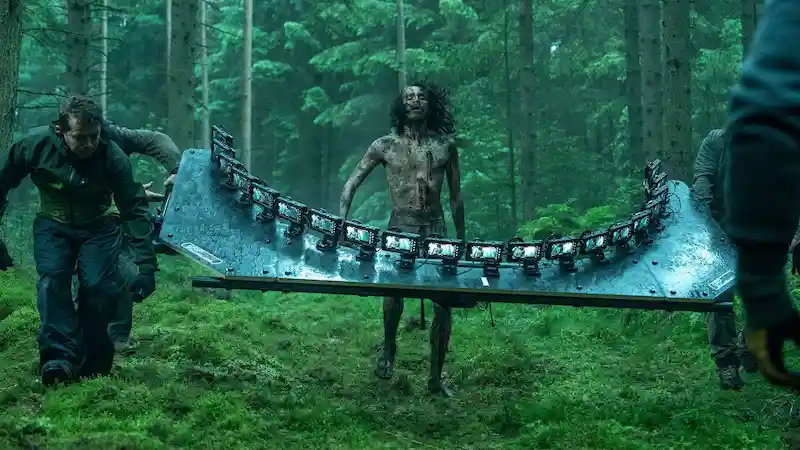
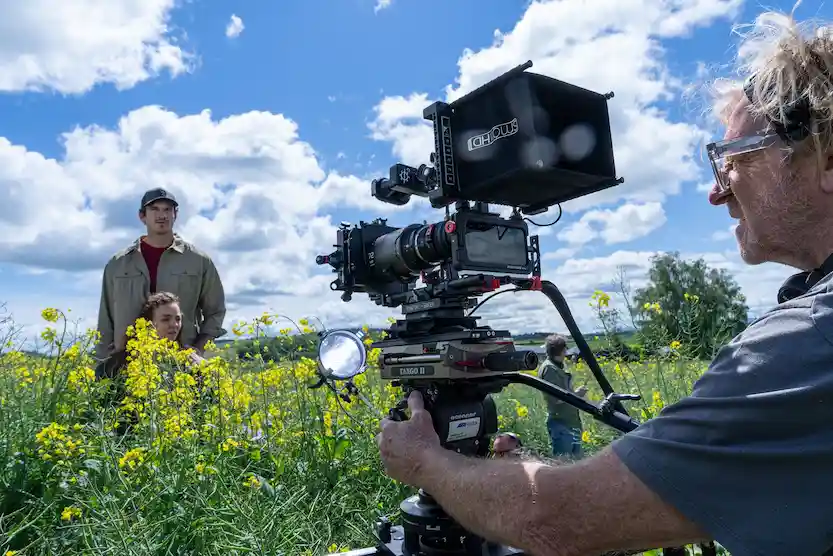
The proof? Danny Boyle’s 28 Years Later used iPhone 15 Pro Max cameras for a $75 million Hollywood production. Brad Pitt’s F1 mounted custom iPhone modules on real race cars traveling 300 km/h. These aren’t gimmicks. They’re calculated choices by experienced filmmakers who know what works.
We’ve seen this shift happen gradually at Camera Crew Spain. Over 15+ years producing professional videos across Spain, we’ve watched iPhones evolve from backup cameras to legitimate production tools. Sure, 99% of the times we still roll out high-end cameras and gears like Sony, RED cameras, and Arri Alexas for most client shoots. But for social media productions, indie documentary work, and situations where a small crew needs to move fast? iPhone filmmaking delivers results that would’ve required tens of thousands in equipment just a few years ago.
Here’s everything you need to know about shooting cinematic iPhone videos. From the apps professionals actually use to the accessories that separate home video from Hollywood.
Source: Sony
Best iPhone Videography Apps
Your iPhone’s native camera app is impressive, but professional mobile filmmaking requires manual control. These are the apps actually used by working filmmakers.
Blackmagic Camera (Free)
From the makers of DaVinci Resolve, Blackmagic Camera delivers cinema-style controls with manual shutter speed, ISO, white balance, and focus. The Log color profile provides maximum post-production flexibility.
Best for: Filmmakers wanting professional control with an intuitive interface. Free price makes it perfect for beginners.
FiLMiC Pro (Paid)
FiLMiC Pro pioneered professional iPhone video recording and remains powerful with ProRes support, extensive manual controls, and professional color profiles. Used on Tangerine and Unsane. Development has slowed since acquisition, but still solid for experienced users.
Best for: Mobile filmmakers already invested in the FiLMiC ecosystem.
Kino (Paid)
Kino offers professional controls without overwhelming beginners. Starter mode provides automatic settings, with full manual control available as skills develop. Supports 4K 120fps on iPhone 17 Pro.
Best for: Beginners wanting room to grow, or experienced shooters wanting streamlined workflows.
Final Cut Camera (Free)
Apple’s professional camera app with wireless multi-camera control and seamless Final Cut Pro integration. Works standalone on iPhone or as remote control from iPad.
Best for: Users in Apple’s professional ecosystem editing with Final Cut Pro.
Moment Pro Camera (Paid)
Moment Pro Camera provides complete manual control with real-time exposure tools (histogram, focus peaking, zebra stripes). 4K and ProRes support with robust audio controls.
Best for: Serious mobile videographers wanting desktop-level control.
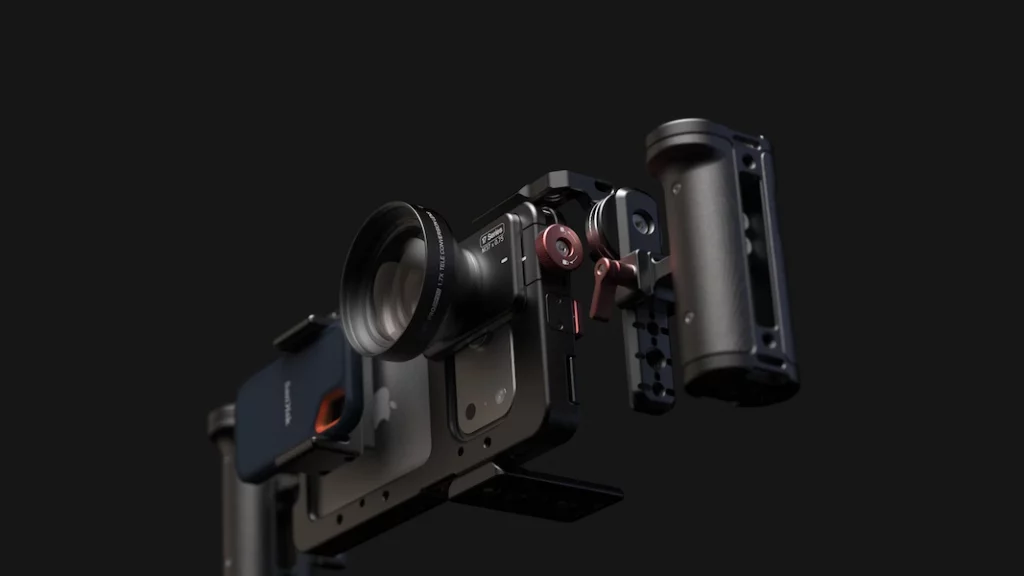
Image: Beastcage – beastgrip.com
Essential iPhone Videography Accessories
Apps unlock manual controls, but accessories transform your iPhone into a proper production tool. Here’s what actually matters.
Stabilization: Gimbals vs. Rigs vs. Tripods
DJI OM 8 Gimbal Stabilizer
3-axis gimbal with motors and sensors for active stabilization, foldable, with ActiveTrack 7.0 for intelligent subject following and 360° pan rotation.
When to use: Moving shots, follow cams, smooth pans, dynamic action sequences.
Smartphone Cage/Rig Systems
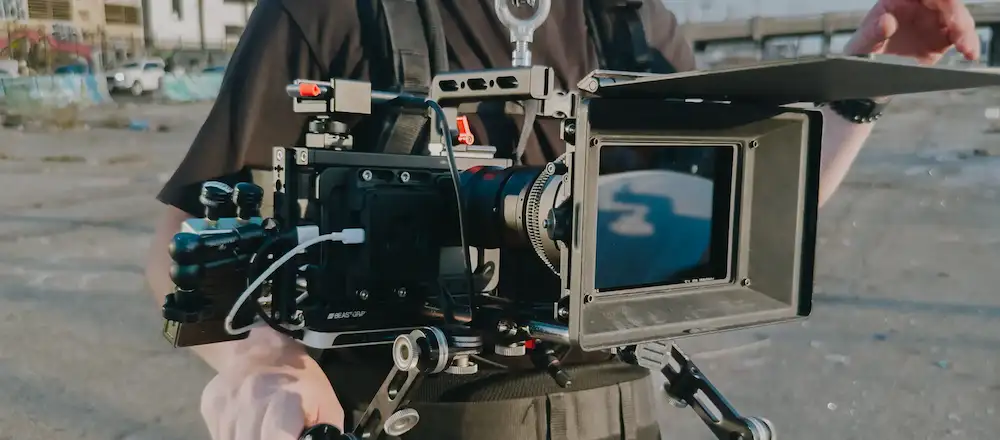
Metal cages like Ulanzi U Rig Pro or SmallRig mobile video cages provide mounting points for accessories. Multiple cold shoe mounts for microphones and lights, plus dual-grip handles for handheld shooting.
Beastgrip is the go-to rig for most iPhone feature films, offering flexible mounting for lenses and accessories.
When to use: Multiple accessories simultaneously, stable handheld platform, interviews, stationary shots.
Traditional Tripods
Every filmmaker needs reliable tripod support. Any decent tripod with secure phone mount works.
When to use: Static shots, interviews, time-lapses, low-light situations, B-roll sequences.
Audio: Your Most Important Investment
Video quality catches the eye, but bad audio ruins everything. Your iPhone’s built-in microphones are surprisingly decent indoors but unacceptable for professional outdoor work.
Rode Wireless Micro
The newest and most affordable wireless lavalier system from Rode. Two microphones connect wirelessly to your iPhone’s charging port, eliminating cable management.
DJI Mic Mini
DJI’s compact wireless microphone system with significantly smaller units less noticeable on camera. Cross-compatible with Osmo Pocket 3 and other DJI products.
Directional shotgun microphone connecting directly to iPhone. Eliminates background noise while focusing on subjects in front of camera.
Best for: Run-and-gun documentary work, street interviews, situations where wireless isn’t practical.
External Recording Alternative
Some professionals use their iPhone as a separate audio recorder with higher-quality lavaliers, syncing audio in post-production for maximum audio quality.
Lighting: Portable LED Panels
Lighting separates amateur from professional work. For mobile productions, you need rechargeable, portable solutions.
Aputure/Ulanzi LED Video Lights
Compact LED panels with adjustable color temperature (3200K to 5600K). CRI ratings of 95+ reduce color correction work. Fit into cold shoe mounts with 2 to 4 hours runtime on rechargeable batteries.
Ulanzi LED video light includes orange warming plate, blue cooling plate, and white diffusion attachments.
Neewer LED Panel Lights
Budget-friendly options delivering surprisingly good quality. Multiple Neewer panels can provide layered lighting setups without breaking the bank.
Lighting placement matters more than expensive gear. Learn three-point lighting fundamentals before buying multiple lights.
Lens Attachments: Proceed with Caution
Modern iPhones have multiple built-in lenses (typically 13mm to 120mm equivalent on Pro models). External lens attachments were more valuable on older single-lens iPhones.
When External Lenses Make Sense:
Anamorphic adapters: Create ultra-wide aspect ratios with characteristic oval bokeh and horizontal lens flares. SANDMARC’s anamorphic lens is trusted by professionals.
Macro lenses:Reeflex macro accessory gets closer than even iPhone Pro’s macro mode without daylight shadows.
For most shooting situations, your iPhone’s native lenses are excellent. Save your money for better audio and lighting before buying lens attachments.
O2 Short Film iPhone setup. Image: beastgrip.com
Optimal iPhone Video Settings for Cinematic Results
The best app means nothing without proper settings. Here’s how to configure your iPhone for cinema-quality footage.
Resolution: When to Use 4K vs. 1080p
4K (3840 x 2160):
Maximum detail capture for large screen playback
Flexibility to crop and reframe in post-production without quality loss
Required for modern professional delivery
Storage requirement: 150 to 440MB per minute depending on frame rate
1080p HD (1920 x 1080):
High quality that saves storage space
Perfectly acceptable for web delivery and social media
Better performance in low light vs. 4K on some iPhone models
Storage requirement: 60 to 130MB per minute
Recommendation: Shoot 4K for A-camera footage and anything you might crop or stabilize in post. Use 1080p for B-roll, behind-the-scenes, or when storage is limited.
Frame Rate: The Cinematic Decision
Frame rate dramatically affects your footage’s look and feel.
24fps: The Cinema Standard
The film industry standard since the 1920s. Creates slight motion blur that feels “cinematic” to audiences. Use this for narrative work, documentary storytelling, and anything where you want that “movie” aesthetic.
30fps: The Versatile Default
Natural motion without film-look blur. Good all-purpose frame rate for most video content. Works well for talking head videos, corporate content, and general production.
60fps: The Action Frame Rate
Smooth, crisp motion ideal for sports, fast action, and footage you plan to slow down slightly in post. The hyper-smooth look can feel “video-ish” rather than cinematic for narrative work.
120fps & 240fps: Slow Motion Territory
The latest iPhone Pro models can shoot 4K at 120fps, opening remarkable slow-motion possibilities at full resolution. Quarter-speed and half-speed playback creates dramatic emphasis. Use for detail shots, action sequences, and emotional moments needing time manipulation.
Our Recommendation for Cinematic iPhone Work:
Primary footage: 4K at 24fps
Action sequences: 4K at 60fps or 120fps
Slow motion: 4K at 120fps (latest iPhone Pro models) or 1080p at 240fps
Cinematic Mode: The Bokeh Effect
Available from iPhone 13 onward, Cinematic Mode creates shallow depth-of-field effects with automatic focus transitions. It mimics the bokeh and rack focus techniques used in narrative filmmaking.
Strengths:
Creates separation between subject and background
Adjustable aperture in post-production
Enables focus pulling without manual control during recording
Limitations:
Software can struggle with fast-paced movement
Results may look artificial in complex scenes
Works best for slow, deliberate shots
Best uses: Detail shots, character closeups, controlled interview setups, and situations where you want strong subject-background separation.
Don’t overuse. Real cinema uses depth of field purposefully, not constantly. Mix Cinematic Mode shots with regular footage for best results.
Practical Tips from Our Production Experience
After years filming across Spain’s diverse locations (from Barcelona’s Gothic Quarter to Andalusia’s sun-blasted plains), here’s what we’ve learned about real-world professional iPhone production.
1. Audio Quality Outranks Video Quality Every Time
Audiences forgive imperfect video. They abandon videos with bad audio immediately. Invest in external microphones before buying gimbals or lenses.
2. Lighting Makes Mediocre Cameras Look Great
Your iPhone’s sensor is physically small. It needs light to produce clean images. When possible, shoot outdoors in natural light or properly light interior scenes. The difference between ambient-only shooting and intentional lighting is dramatic.
3. Stabilization Hierarchy
Best to worst for stable footage:
Tripod (when camera doesn’t need to move)
3-axis gimbal (for moving shots)
Smartphone cage with dual grips (handheld stability)
Digital stabilization in post (last resort, crops footage)
4. The 180-Degree Shutter Rule
For natural motion blur, set your shutter speed to double your frame rate. Shooting 24fps? Use 1/48 shutter (or 1/50, which is close enough). This creates motion blur matching human eye perception.
Most cinema camera apps let you lock shutter speed. Use this rule for film-like motion rendering.
5. Shoot in Log Color Profile (If Available)
iPhones with Pro models can record in Log color profiles through apps like Blackmagic Camera. Log footage looks flat and desaturated straight from camera but provides maximum dynamic range and color grading flexibility in post-production.
You’ll need to color grade Log footage. It’s not optional. But the control it gives you in post is worth learning proper grading workflow.
6. Battery Management for Extended Shoots
iPhones drain batteries quickly during video recording. Solutions:
Carry multiple fully-charged phones
Use external battery packs (Mophie, Anker) with cables long enough to stay connected while shooting
iPhone cases with built-in batteries for all-day shoots
4K 60fps footage consumes approximately 400MB per minute. A 256GB iPhone holds roughly 10 hours of footage at this setting. For longer productions:
Offload footage to laptop or portable SSD daily
Consider iPhone models with maximum storage (512GB or 1TB)
Cloud storage isn’t practical for video. File sizes are too large
8. Know The Limitations
iPhones excel at: Intimate documentaries, run-and-gun journalism, content creation, indie narratives with controlled lighting, and situations where mobility trumps image perfection.
iPhones struggle with: Low light beyond certain thresholds, extreme telephoto needs, situations requiring interchangeable lenses, productions with complex lighting setups better served by cinema cameras with extended dynamic range.
Match your tool to your project honestly.
The Democratization Question
Does iPhone filmmaking democratize the medium? Yes and no.
Yes in that technical barriers have collapsed. Anyone with a modern smartphone and a few hundred euros in accessories can capture footage that would have required tens of thousands of euros in equipment a decade ago. Distribution through YouTube, Vimeo, and streaming platforms is open to everyone. The tools of production are truly democratized.
No in that great filmmaking was never primarily about equipment. Story, cinematography, sound design, editing, performance: these require skill developed over years. The same storytelling principles, composition rules, and production fundamentals apply whether shooting on iPhone or ARRI ALEXA.
Danny Boyle could shoot 28 Years Later on iPhones because he’s Danny Boyle, with Anthony Dod Mantle’s cinematography, a skilled crew, professional post-production, and studio resources. The phone enabled specific creative choices within expert hands.
The democratization is real for those willing to develop filmmaking craft. The tools are accessible. Mastery still requires dedication.
Final Thoughts: Choose the Right Tool for Your Story
At Camera Crew Spain, we approach every project by asking: what does this story need? Sometimes that’s a fully-rigged cinema camera with cinema lenses, professional lighting, and a crew of fifteen. Sometimes it includes an iPhone, a gimbal, and two people moving quickly through crowded streets.
The best camera is the one that captures your story effectively. For an increasing number of projects, that camera fits in your pocket.
If you’re producing in Spain and want to explore iPhone filmmaking alongside traditional production, we’d be happy to discuss your project. We’ve got the cinema cameras when you need them and the mobile expertise when you don’t.
This website uses cookies so that we can provide you with the best user experience possible. Cookie information is stored in your browser and performs functions such as recognising you when you return to our website and helping our team to understand which sections of the website you find most interesting and useful.
3rd Party Cookies
This website uses Google Analytics to collect anonymous information such as the number of visitors to the site, and the most popular pages.
Keeping this cookie enabled helps us to improve our website.
Please enable Strictly Necessary Cookies first so that we can save your preferences!